
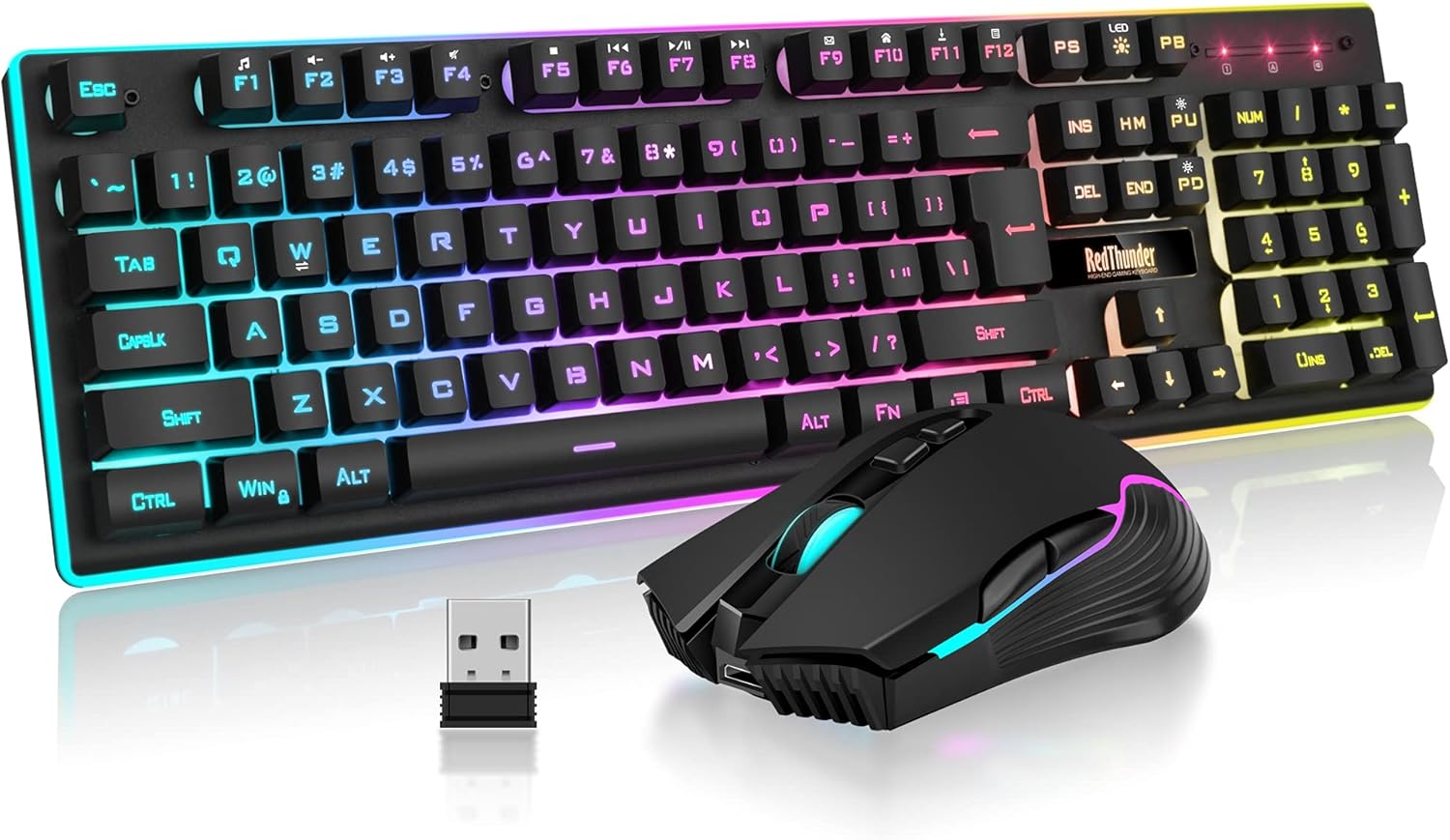
RedThunder K10 Wireless Gaming Keyboard and Mouse Combo, LED Backlit Rechargeable 3800mAh Battery, Mechanical Feel Anti-ghosting Keyboard + 7D 3200DPI Mice for PC Gamer (Black)
Original price was: $53.99.$49.99Current price is: $49.99.
Description
About the Product 🔑
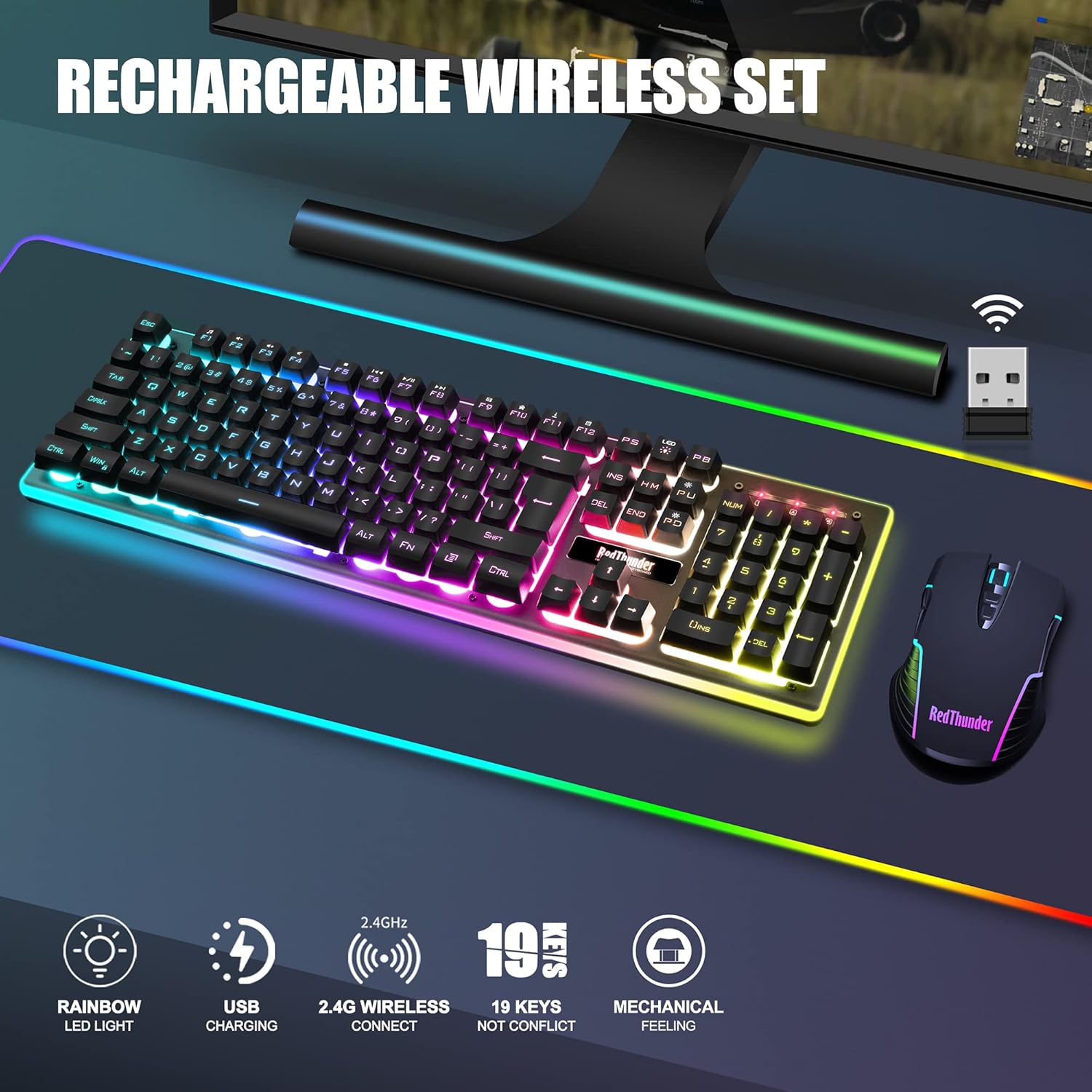
| ⭐ High-performance 2.4G Wireless Keyboard and Mouse | RedThunder K10 rechargeable wireless gaming keyboard and mouse combo will be your best choice. 2.4G high-speed and stable transmission, ensure that it can easily deal with even the most intense battles. |
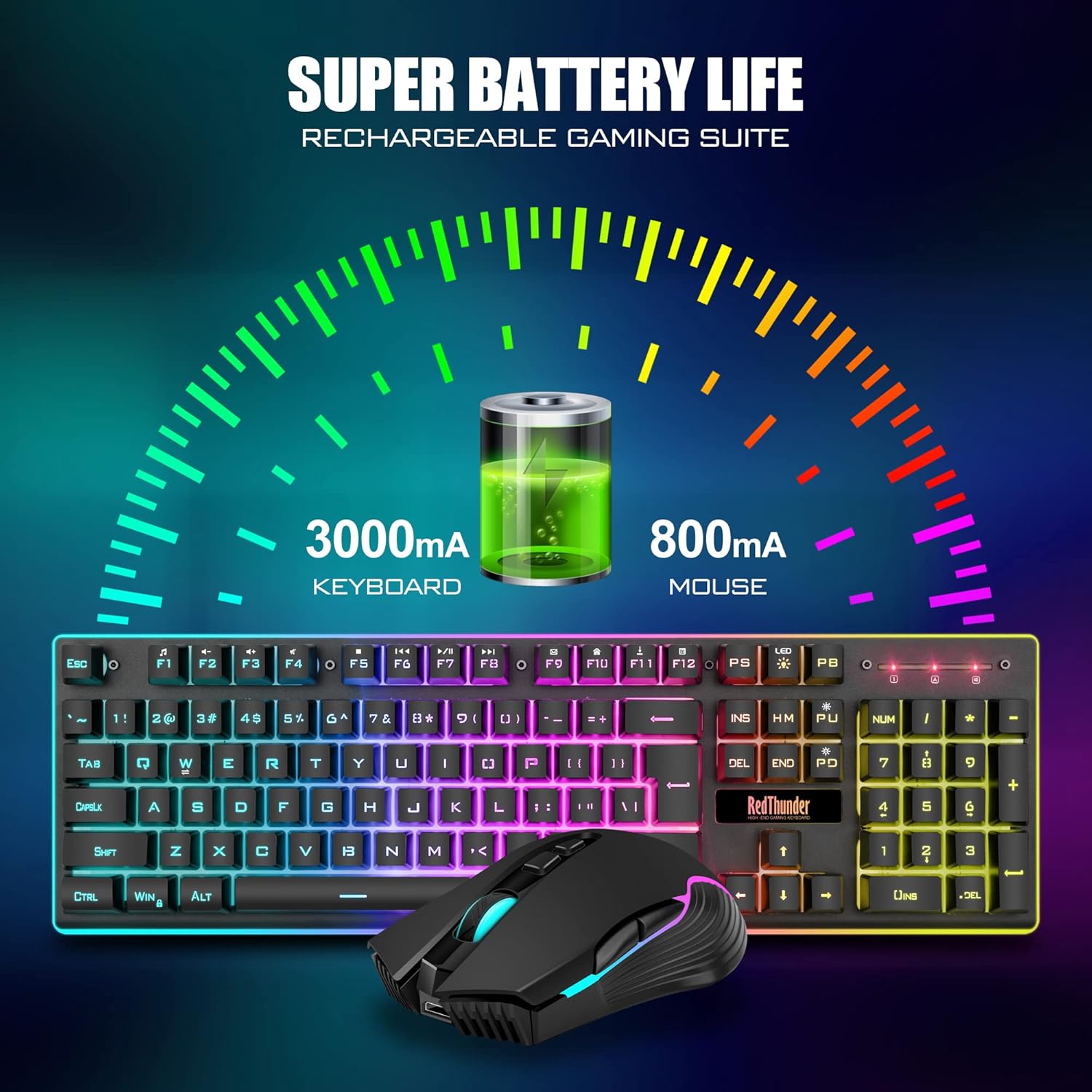
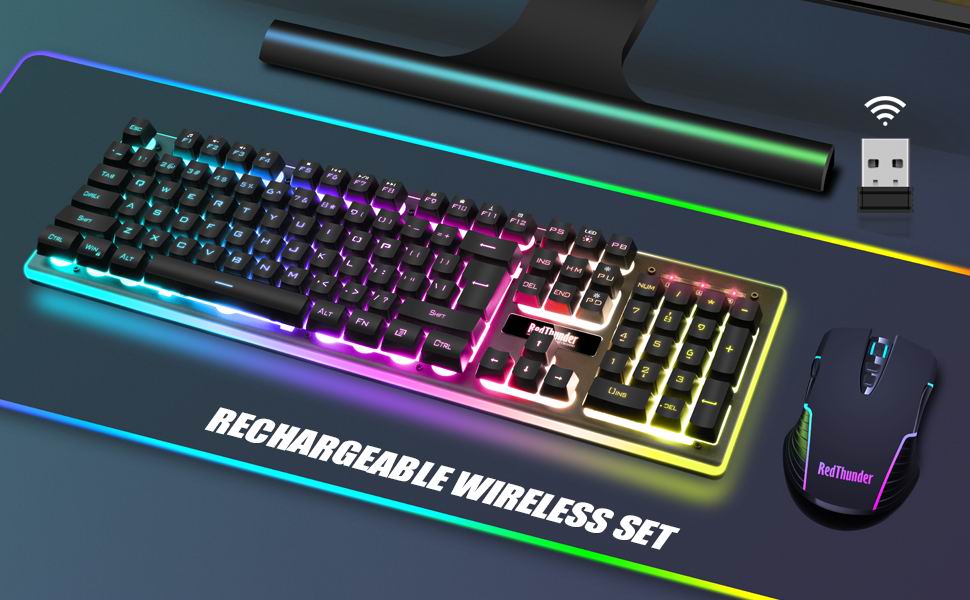
| 🔋 Rechargeable & Long Battery Life | Keyboard has a 3000mAh battery, mouse has an 800mAh battery. Smart energy-saving functions. Auto sleep. Press any key to wake. Charge 8 hours before using. |
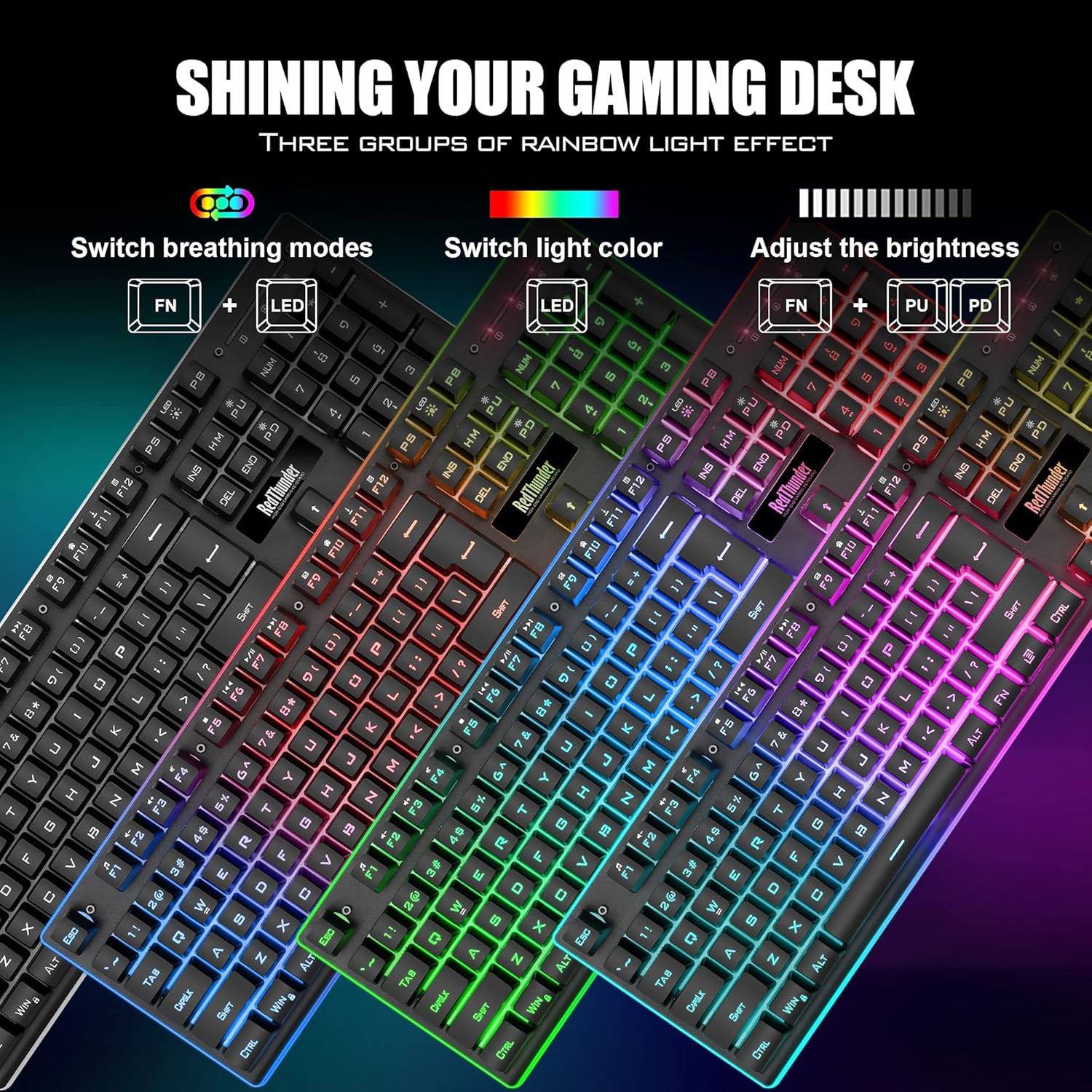
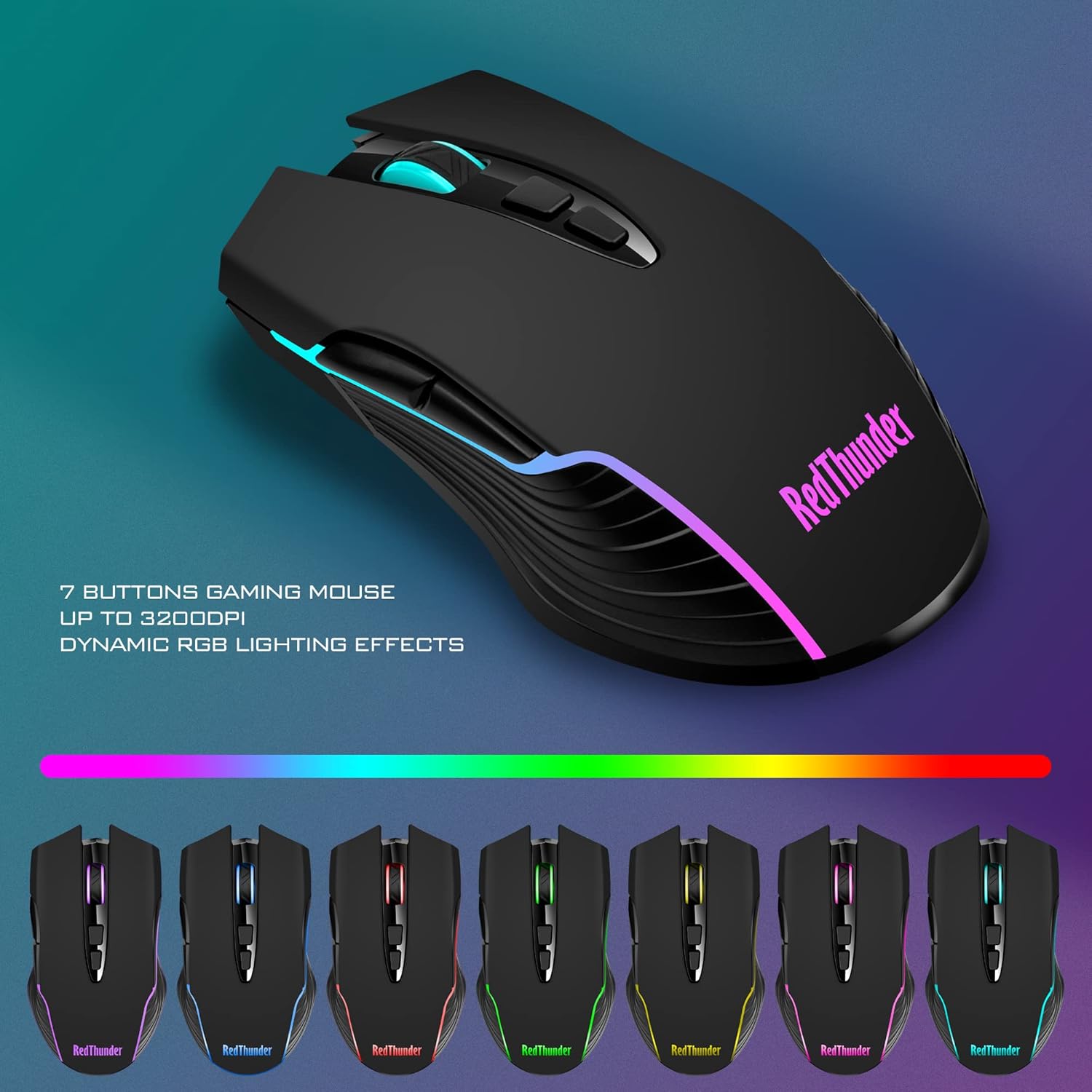
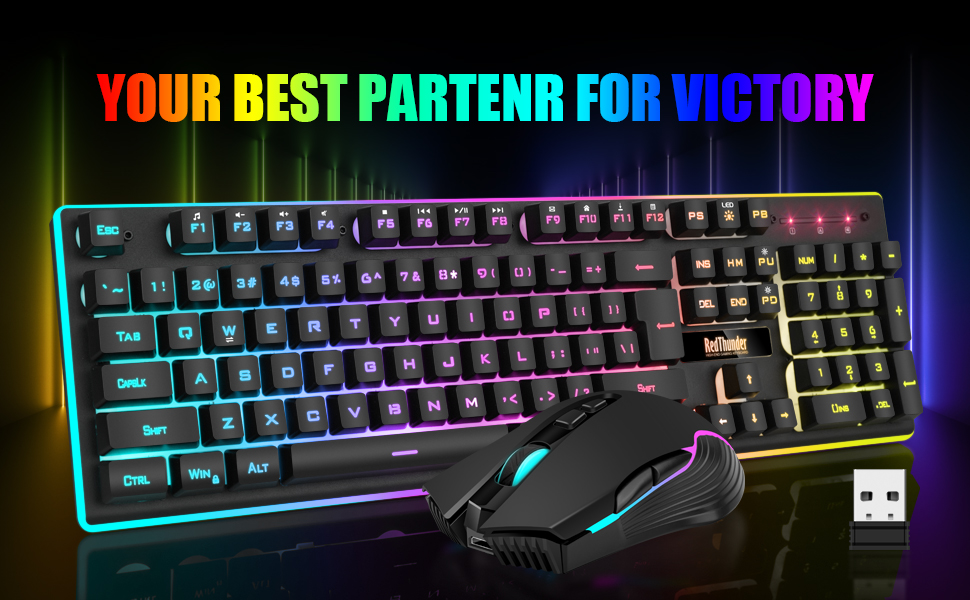
| 💡 Light Up Keyboard and Mouse | Keyboard has rainbow backlight effects, 2 breathing modes, 3 static modes, 4 brightness levels. Luminous design of Letters, logo, gaps and surroundings. Mouse has 7-color cyclic gradual lighting effect. |
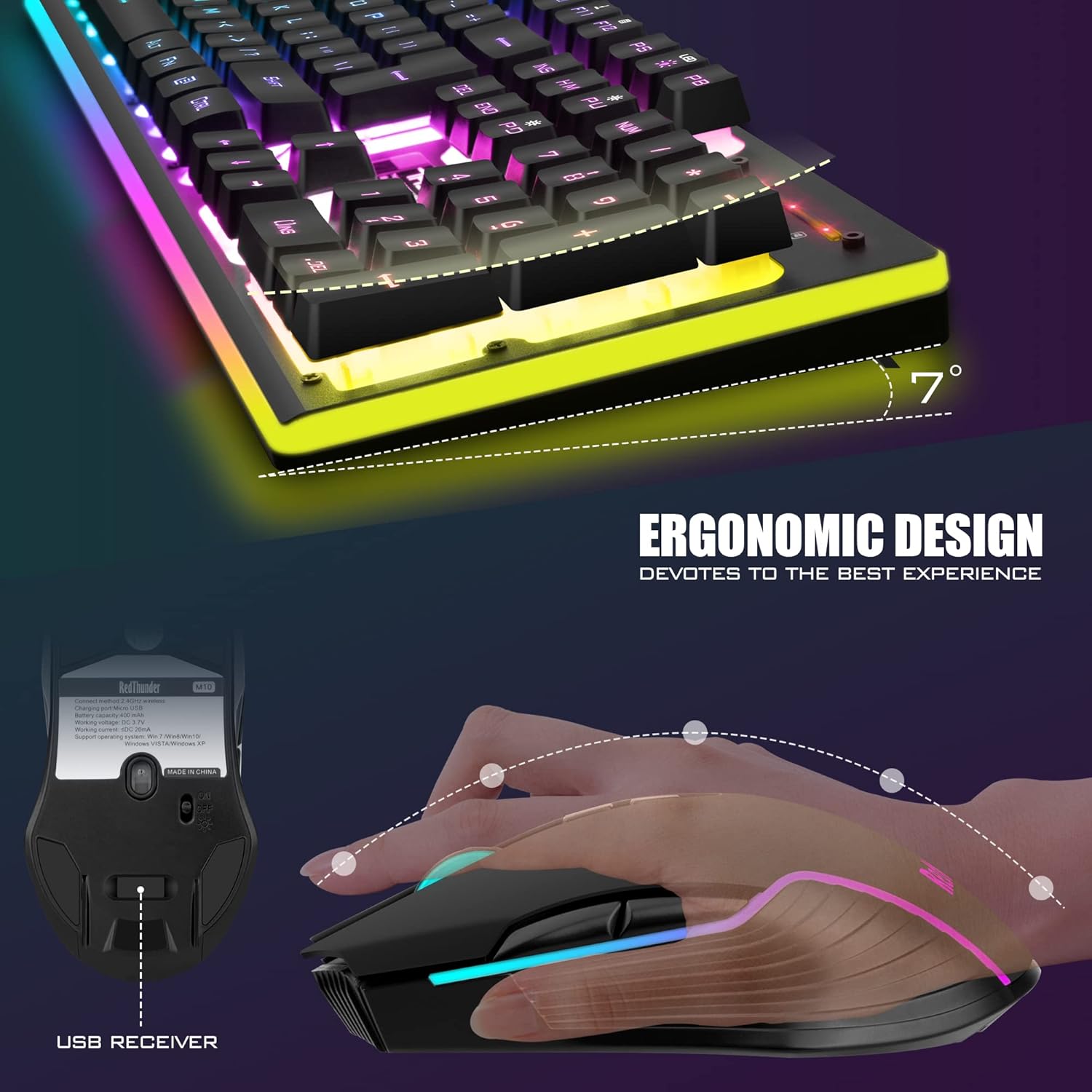
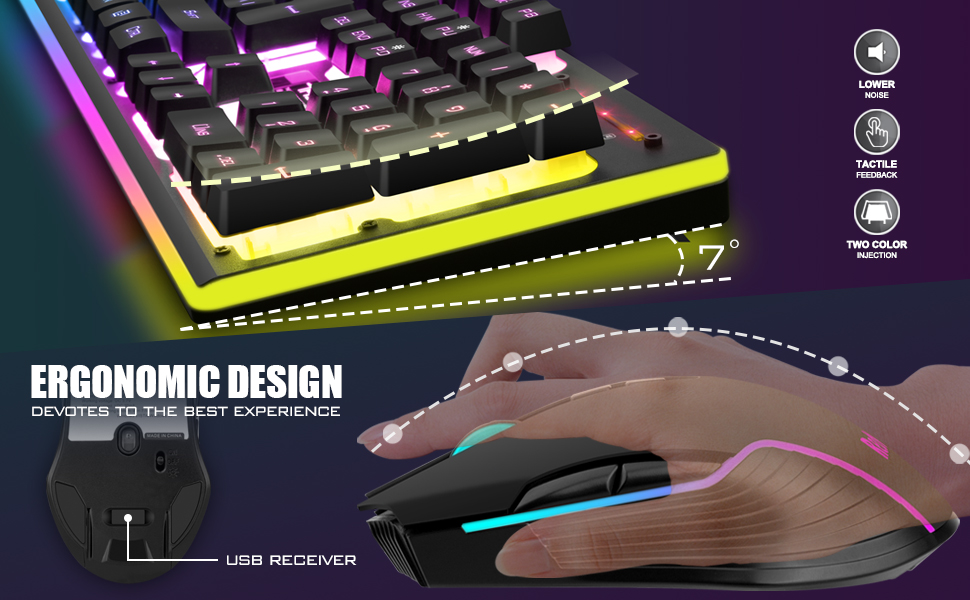
| 💪 Durable Ergonomic Keyboard and Mouse | Keys have 10,000,000 keystrokes lifetime. ABS keycaps two-color injection molding process, letter characters never fade. Frosted metal cover. Mouse fits palm perfectly. Anti-sweat and non-slip design. |
| 🔌 Plug and Play | Keyboard and mouse share a USB receiver. Code completed by default. Insert receiver and turn on to use. Reset code pairing if connection lost. |
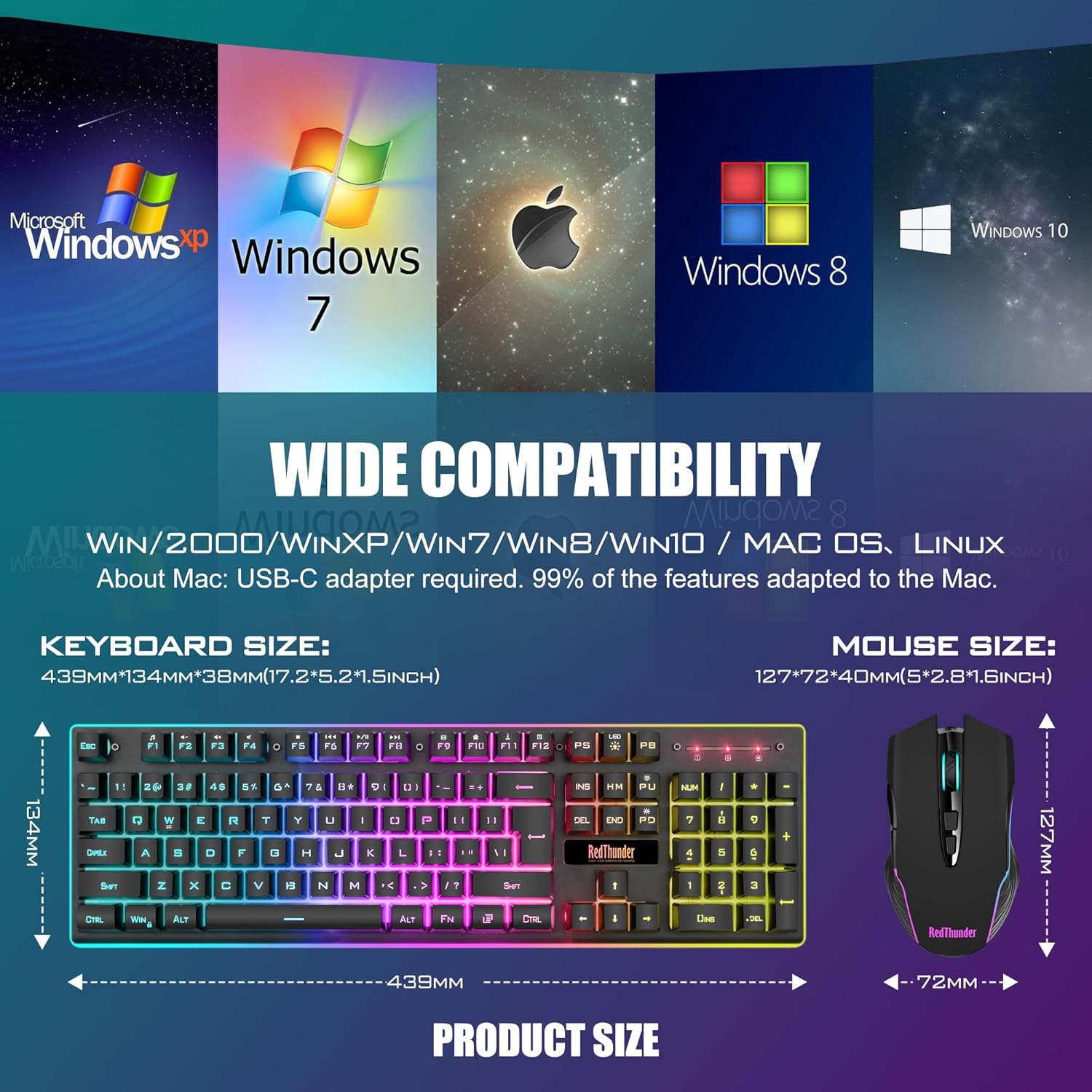
| 🌐 Wide Compatibility | Windows 11, 10, 8, 7, Vista, XP. Limited Mac OS keyboard support. Works with major computer brands and Gaming PCs. USB-C adapter required for devices without USB port. |
How to Use 🛠️
- LED: Turn on/off the backlight or switch the backlight color.
- FN + LED: Switch between 1-color and 3-color breathing mode.
- FN + PU/PD: Increase/decrease backlight brightness.
- FN + +/-: Speed up/slow down breathing rate.
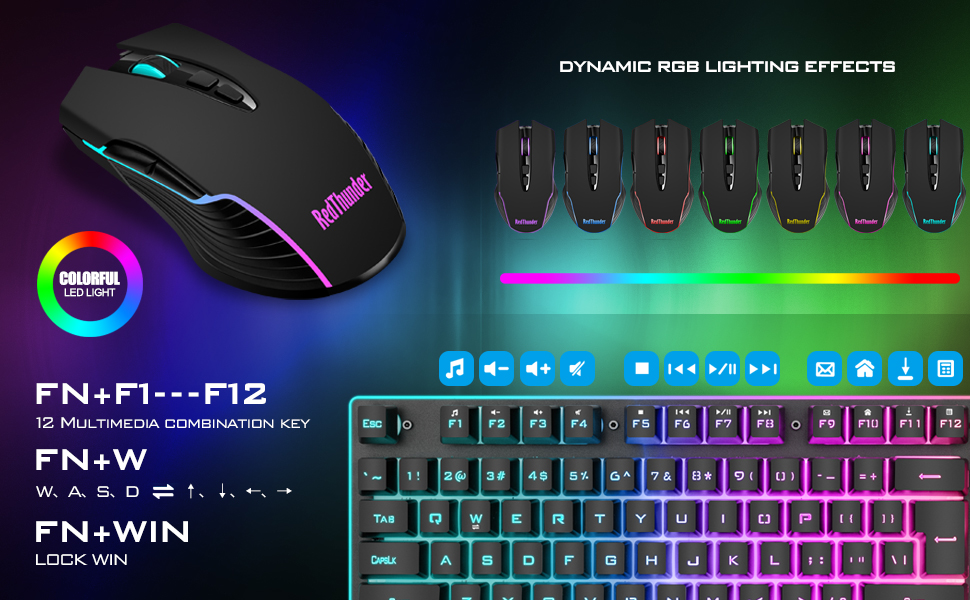
- FN+W: Exchange WASD and arrow keys.
- FN + WIN: WIN key lock.
- FN + (F1-F12): 12 multimedia combination keys.
Note:
- The keyboard and mouse share only one USB receiver, which is located in the bottom of the mouse. (Only when the receiver is plugged in, the lights of the keyboard and mouse will light up)
- There will be a little delay or the lights will not turn on when the battery is too low, please charge it in time and use computer’s USB port to charge. Avoid charging in humid or high-temperature environments.
- If you can’t press “WASD” or “↑↓←→”, please press FN+ “W” key can be used to switch between letter “WASD” keys and arrow “↑↓←→” keys at will. If the numeric keys cannot be used, press NumLock.
- USB Receiver Pairing steps: Make sure the keyboard/mouse fully charged.
- Keyboard pairing steps: Step 1: Turn on the keyboard switch; Step 2: Press and hold the ESC key and the K key at the same time, the indicator light starts to flash; Step 3: Insert the USB receiver into the computer, and pairing is complete.
- Mouse pairing steps: Step 1: Turn the switch at the bottom of the mouse to the switch position with the sun logo; Step 2: Press and hold the mouse wheel and right button, the mouse RGB lights start to flash; Step 3: Insert the USB receiver into the computer and the pairing is complete.
- About Mac: USB-C adapter required. Limited MacOS support.
Product Details 🏷️
- Price: $49.99
- Customer Reviews: 3.9 out of 5 stars
- Color Option: Black/White/Pink/White-Gray/Black Pudding/White Pudding
- Connection: Wireless
- Keyboard Keys: 104
- Backlight Mode: ✓
- Anti-Ghosting: ✓
- Keyboard Battery capacity: 3000mAh
- Mouse Battery capacity: 800mAh
How to customize keyboard lighting and FN key?
- 1. LED: Turn on/off the backlight or switch the backlight color.
- 2. FN + LED: Switch between 1-color and 3-color breathing mode.
- 3. FN + PU/PD: increase/decrease backlight brightness.
- 4. FN + +/-: Speed up/slow down breathing rate.
- 5. FN+W: Exchange WASD and arrow keys.
- 6. FN + WIN: WIN key lock.
- 7. FN + (F1-F12): 12 multimedia combination keys.
Note:
- 1.The keyboard and mouse share only one USB receiver, which is located in the bottom of the mouse. (Only when the receiver is plugged in, the lights of the keyboard and mouse will light up)
- 2. There will be a little delay or the lights will not turn on when the battery is too low, please charge it in time and use computer’s USB port to charge. Avoid charging in humid or high-temperature environments.
- 3. If you can’t press “WASD” or “↑↓←→”, please press FN+ “W” key can be used to switch between letter “WASD” keys and arrow “↑↓←→” keys at will. If the numeric keys cannot be used, press NumLock.
- 4.USB Receiver Pairing steps. Make sure the keyboard/mouse fully charged.
- Keyboard pairing steps: Step 1: Turn on the keyboard switch;
- Step 2: Press and hold the ESC key and the K key at the same time, the indicator light starts to flash;
- Step 3: Insert the USB receiver into the computer, and pairing is complete.
- Mouse pairing steps: Step 1: Turn the switch at the bottom of the mouse to the switch position with the sun logo;
- Step 2: Press and hold the mouse wheel and right button, the mouse RGB lights start to flash;
- Step 3: Insert the USB receiver into the computer and the pairing is complete.
- 5. About Mac: USB-C adapter required. Limited MacOS support.

Full Images


Product Standout Benefits
The RedThunder K10 rechargeable wireless gaming keyboard and mouse combo is designed to
perfectly balance work and games. It offers high-performance features for an
enhanced user experience.
-
High-performance 2.4G Wireless Keyboard and Mouse: Enjoy
high-speed and stable transmission for intense battles. -
Rechargeable & Long Battery Life: Equipped with a
3000 mAh battery for the keyboard and an 800 mAh battery for the mouse,
offering continuous use for 8 hours with light and smart energy-saving
functions. -
Light Up Keyboard and Mouse: The keyboard features
three groups of rainbow backlight effects with multiple modes and brightness
levels. The mouse has a built-in 7-color cyclic gradual lighting effect. -
Durable Ergonomic Keyboard and Mouse: Features keys with a
10,000,000 keystrokes lifetime, two-color injection molded ABS keycaps with
non-fading letters, and a thick, frosted metal cover. The mouse is ergonomically
designed for palm fit and includes an anti-sweat and non-slip design. -
Plug and Play: The keyboard and mouse share a USB receiver
with pre-completed code pairing for easy setup. -
Wide Compatibility: Works with Windows operating systems
(11, 10, 8, 7, Vista, XP) and offers limited Mac OS keyboard support.
Customer Questions and Answers
-
Q: How do I set up this wireless keyboard and mouse? 🤔
A: It’s super easy! Just plug in the USB receiver, turn on the keyboard
and mouse, and you’re good to go! They come pre-paired, so no extra steps
needed. -
Q: How long will the battery last? ⏳
A: You can use them continuously for about 8 hours with the lights on.
Plus, they have smart energy-saving features that put them to sleep if
you’re not using them for 2 minutes. Just press any key to wake them up! -
Q: Can I customize the lights? 🌟
A: You bet! The keyboard has three groups of rainbow backlight effects with
2 breathing modes, 3 static modes, and 4 brightness levels. The mouse has
a cool 7-color cyclic gradual lighting effect. -
Q: Is this keyboard and mouse durable? 💪
A: Absolutely! The keys are built to last for 10,000,000 keystrokes. The
keycaps have letters that won’t fade, and the keyboard has a strong metal
cover that won’t deform. The mouse is also designed for a comfortable,
non-slip grip. -
Q: What systems is this compatible with? 🖥️
A: It works great with Windows 11, 10, 8, 7, Vista, and XP. It also has
limited support for Mac OS.
Related products
-

?Men?s Bristle Hair Brush?
$14.99 -
Sale!
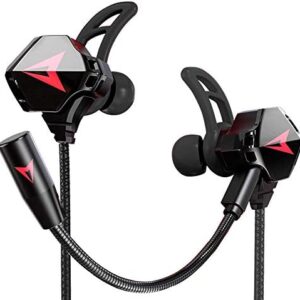
Battle Buds Pro Wired Gaming Earphones Black Dual Mic Mute Volume Control for Mobile Switch Xbox PS PC
Original price was: $29.80.$19.80Current price is: $19.80. -
Sale!

Huachi Headbands for Women Twist Knotted Boho Stretchy Hair Bands for Girls Criss Cross Turban Plain Headwrap Yoga Workout Vintage Hair Accessories, Solid Color, 8Pcs
Original price was: $16.99.$14.44Current price is: $14.44. -
Acrylic Nails for Women with Style Options and Care Instructions for Perfect Maintenance
$7.99
Reviews
There are no reviews yet.